Fly your agents
flykit is an open-source cockpit for agentic development. Run Claude Code, Pi and Codex side by side, with your files, your terminals and 400+ models in one window — then arm each agent with plugins from the same registry.
Start here
$ dsh plugin --profile web add dsh-flykit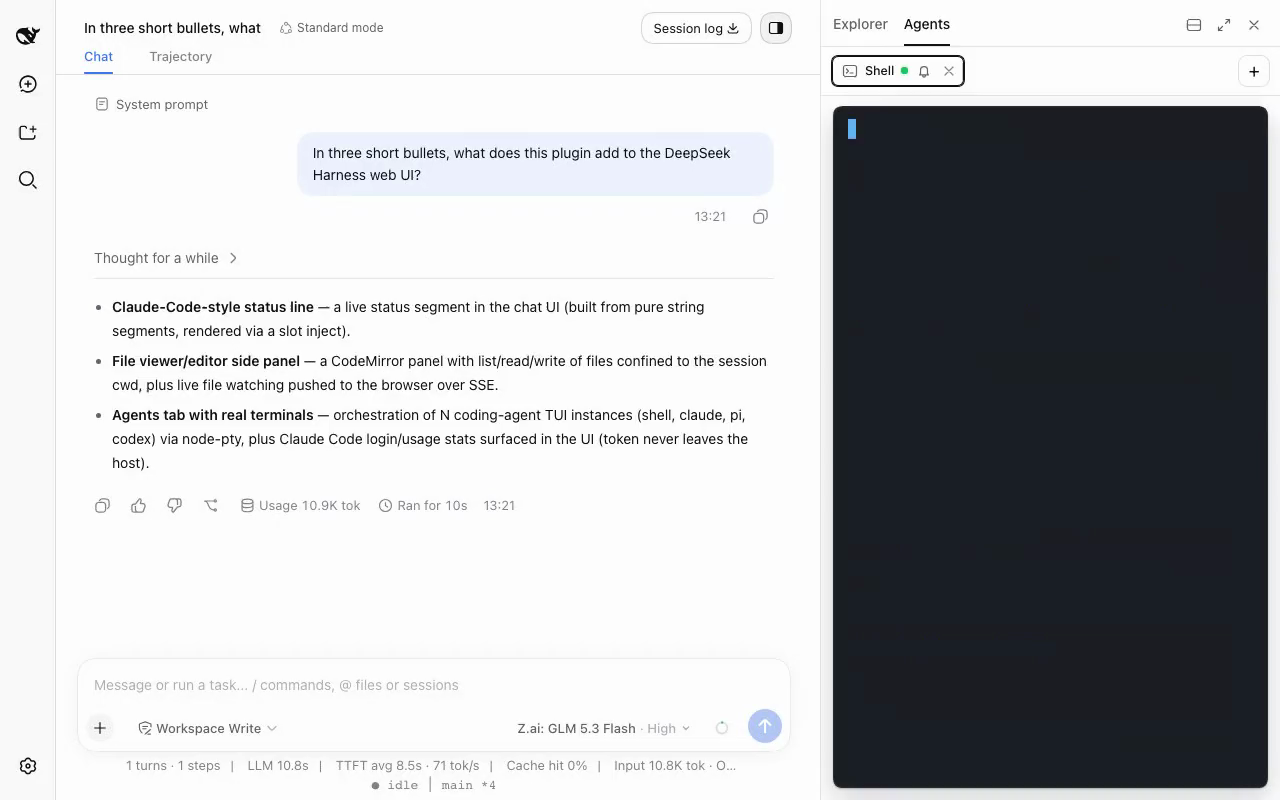
Every agent, one window
The cockpit runs coding agents as real terminals in your workspace, not as a chat about them. Start as many as you like, watch them in a grid or stage one and keep the rest as live thumbnails.
The harness agent can drive them too — open an agent, send it a task, wait for the answer, read it back, all as tool calls.
A cockpit, not a side panel
Everything a coding session needs, in the window where the conversation already happens.
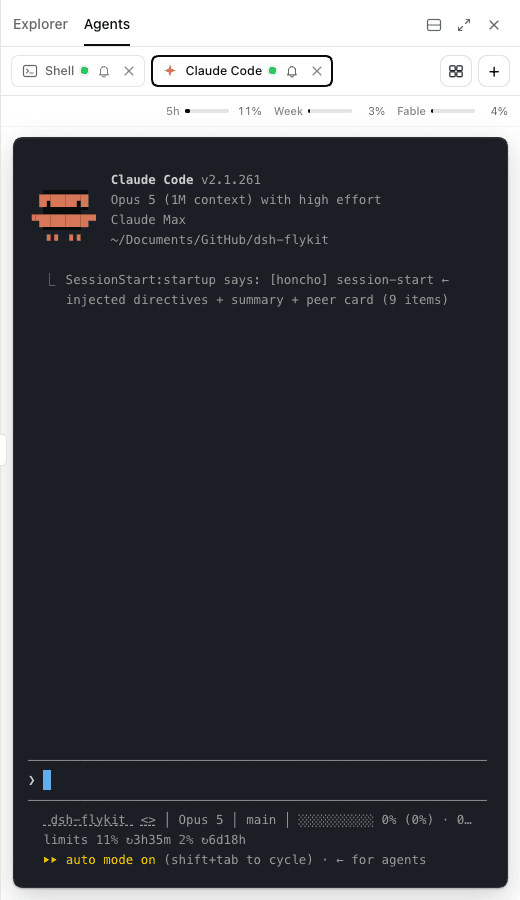
Every agent in one window
Claude Code, Pi, Codex or a plain shell as real PTY terminals in your workspace. A chime and a dot tell you which one finished. Claude subscription usage sits above its terminal.
Your files, next to the conversation
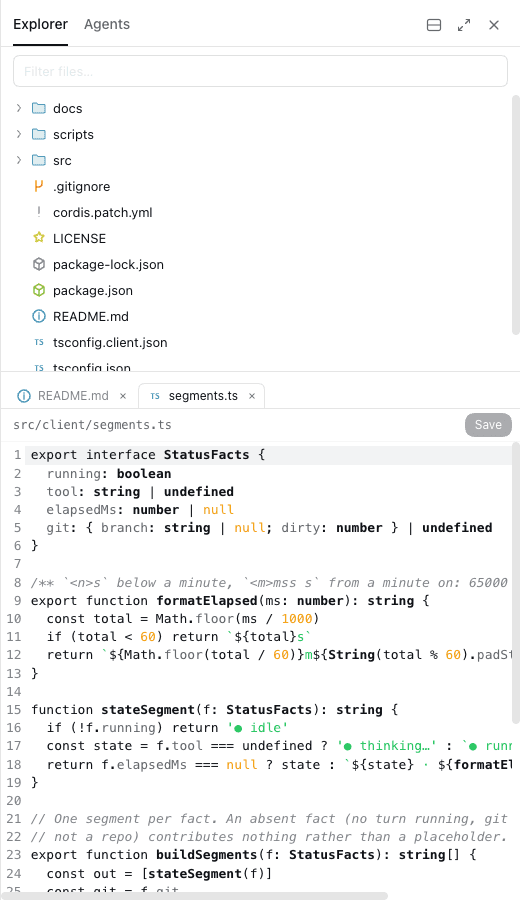
A file tree and a CodeMirror editor that saves to disk, with Markdown and SVG preview. A live watch dots what changed and reloads open files, keeping your unsaved edits.
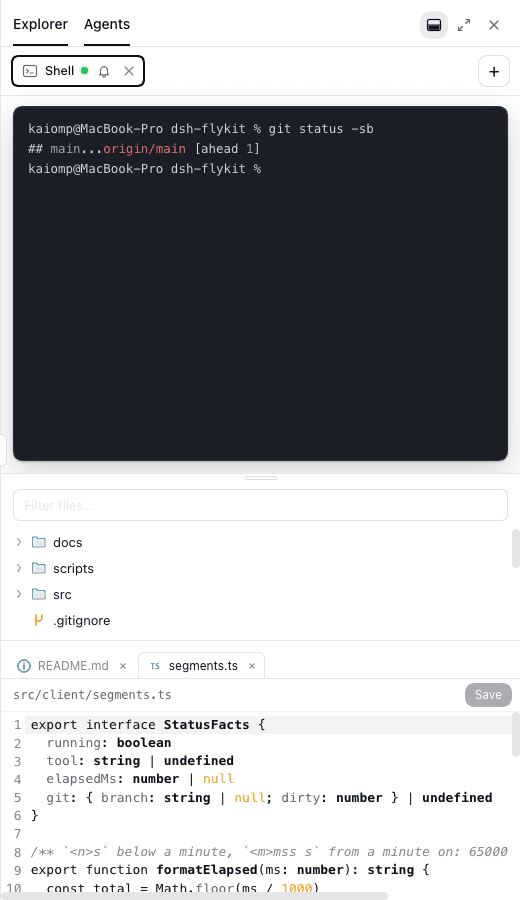
Agents and files at once
Split the panel and a running agent sits above the file it is editing. Or maximise it and take the whole window.
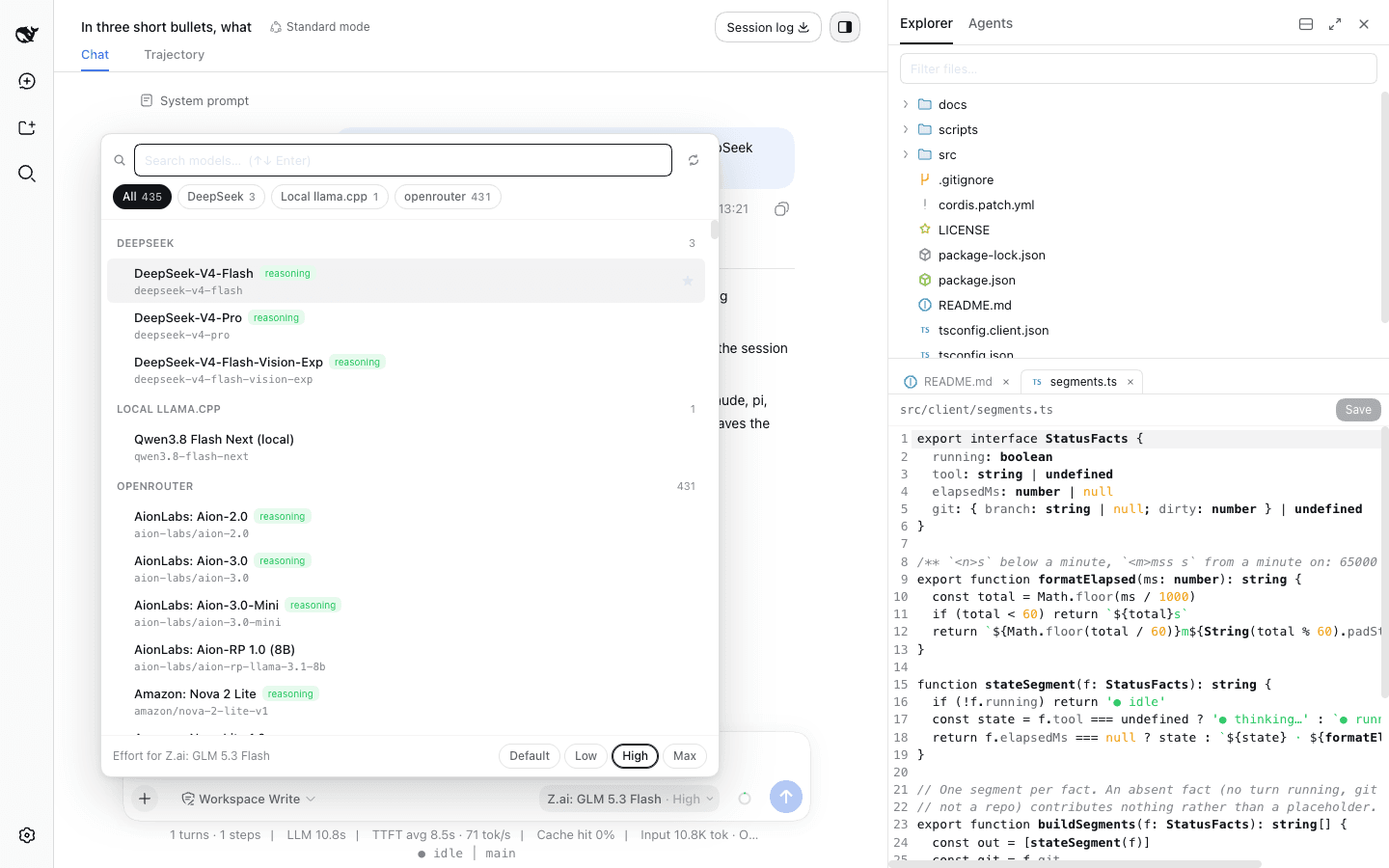
Every model you have, searchable
One search box over every provider you have configured, with favourites, recents, reasoning badges and an effort row. It shares state with the harness's own /model, and refreshes the OpenRouter catalog live — 435 models at last count.
The catalog
Suggest onePlugins sharpen the agents; tools sharpen the workspace around them. Each card shows the ecosystem it runs in and how to get it.
Tools & harness plugins
by kaiomp
Fly your agents. Turn the dsh web GUI into an agent cockpit — explorer, agent terminals, model picker, usage bars, status line.
$ dsh plugin --profile web add github:flykit-cc/dsh-flykitby kaiomp
Swap models, tint your projects, and spin up pre-configured Claude Code terminals. Hit Enter twice. Work starts.
$ git clone https://github.com/flykit-cc/ghostcode && npm install -g ./ghostcodeby kaiomp
Run Claude Code as a subagent inside DeepSeek Harness, with its steps streaming live into the session view.
$ dsh plugin --profile web add dsh-claude-liveby kaiomp
Hold a key, speak, let go. Clean text lands in whatever app you are typing in.
Claude Code plugins — run them in a cockpit tab, or in your own terminal
by kaiomp
German freelancer tax filing — fetch transactions, classify with AI, calculate EUR, file via ELSTER.
by kaiomp
An opinionated AI dev workflow for Claude Code — session lifecycle, orchestrated agents, and deep reviews that work in any repo.
open call
Got a workflow worth automating? Open an issue and we'll scope it together.
Suggest a pluginHow it works
Two commands to fly, and the plugins you already use come with you.
Get the cockpit
- 01
Install the harness
The dsh CLI carries the agent, the web UI, and the plugin loader.
$ npm install -g @deepseek-ai/dsh - 02
Add flykit
A dsh plugin extends the harness itself — new panels, new tools, new routes.
$ dsh plugin --profile web add dsh-flykit - 03
Open it
Start the web UI. The panel is already loaded, no restart dance.
$ dsh web
Arm your agents
- 01
Add the marketplace
Register flykit in Claude Code. One command, one time.
$ claude /plugin marketplace add flykit-cc/plugins - 02
Install a plugin
Pick one from the catalog and install it scoped to flykit.
$ /plugin install flow@flykit - 03
Run it anywhere
In your own terminal, or in a Claude Code tab inside the cockpit.
$ /flow:continue
Open source
Every plugin and tool in flykit is MIT-licensed and lives on GitHub. Read the code, file an issue, send a PR — or fork it and build your own registry.